An AI coworker for marketing teams
MegaBrain writes campaign briefs, reads competitors’ sites in its own browser and turns long content into posts, saving everything as documents, spreadsheets and decks in your folder. Its marketing skills work from the facts in your sources and keep a link for each one.
In the app, Library → Plugins → Marketing adds skills for campaign briefs, social posts from long content and competitor scans, with Notion for content plans. The prompts below work with or without it.
Write a campaign brief
From your launch notes it writes the brief — audience, message, channels, timeline, budget split and metrics — and a short deck to present it.
Prompt
Write a campaign brief for the spring launch from Marketing/launch-notes.md: objective, audience, key message with three supporting points, channels, a timeline table, budget split and success metrics. Save it as Marketing/spring-launch-brief.docx, and add a 5-slide overview as Marketing/spring-launch.pptx.
Works with
Scan competitors’ sites
It reads each competitor’s home and pricing pages and puts positioning, entry price and standout features in one dated spreadsheet, with a page on where you win and lose.
Prompt
Compare [competitor A], [competitor B] and [competitor C]: read each home page and pricing page, and record positioning, target customer, entry price and standout features with source links in Marketing/competitors.xlsx. Then write a one-page summary of where we win, lose and could stand apart. Date the scan.
Works with
Research a topic for your copy
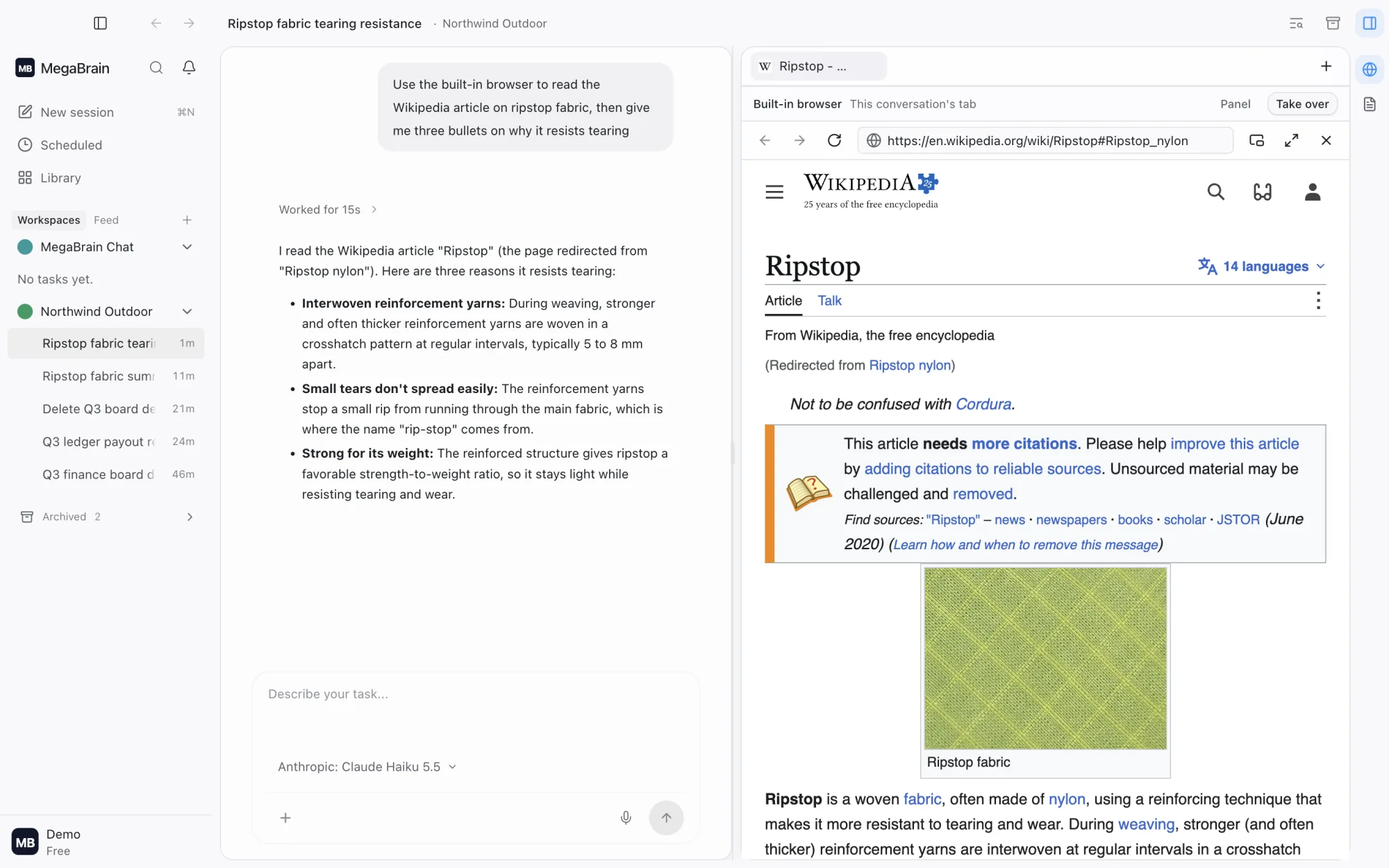
It opens the pages in its own browser, reads them and answers with what you asked for. You can watch it work or take over.
Prompt
Use the built-in browser to read the Wikipedia article on ripstop fabric, then give me three bullets on why it resists tearing.
Works with
Only reads: it changes no files.
Connectors and files it uses
You connect each tool once in Library → Connectors and sign in to it in your browser; MegaBrain never sees your password. It reaches only the folders and tools you give it.
- Built-in browser
- Competitors’ sites and sources, read for you.
- Notion
- Content plans and briefs.
- Google Drive or OneDrive
- Brand guides and past campaigns.
- Slack
- Drafts shared with the team, once you approve.
- Files in the folder you choose
- Launch notes, posts and transcripts.
How to connect Gmail, Google Drive, Outlook and Slack: Help → Apps.
Put it on a schedule
Scheduled tasks repeat on their own, on your Mac while it is awake and MegaBrain is open. Templates to copy, with the prompt, what each one needs and when it runs:
Questions
Can it post to social networks for me?
It writes the posts and saves them as a document for you or your scheduling tool to publish. It can share drafts with your team in Slack, and posting can wait for your approval.
Will it make up statistics?
The Marketing plugin’s skills tell it to use only the facts and numbers in your sources and to keep a link for each one. Still check the numbers before they go out, as with any draft.
Try it on your own files
Download MegaBrain, point it at a folder and paste a prompt. Free to start, paying for models from your credits; Pro, Plus and Max include frontier models and MegaBrain Core.
For Macs with Apple silicon. Windows is coming: leave your email on the download page to hear when it is ready.
Turn a blog post into social posts
It pulls the distinct ideas out of a long piece and writes posts for each platform, quoting the source’s numbers exactly.
Prompt
Turn Marketing/Blog/latest-post.md into three LinkedIn posts, three posts for X and two short-video scripts. Use only facts and numbers from the post. Save them as Marketing/Social/latest-post.docx, grouped by platform.
Works with