An AI coworker for sales teams
MegaBrain researches accounts in its own browser, reads your notes and email, and turns CRM exports into pipeline reviews, saved as Word and Excel files in your folder. Sending email can wait for your approval, so nothing reaches a customer you have not seen.
In the app, Library → Plugins → Sales adds skills for account briefs, call prep and pipeline reviews, with Calendly for meetings. The prompts below work with or without it.
Write the Monday pipeline report
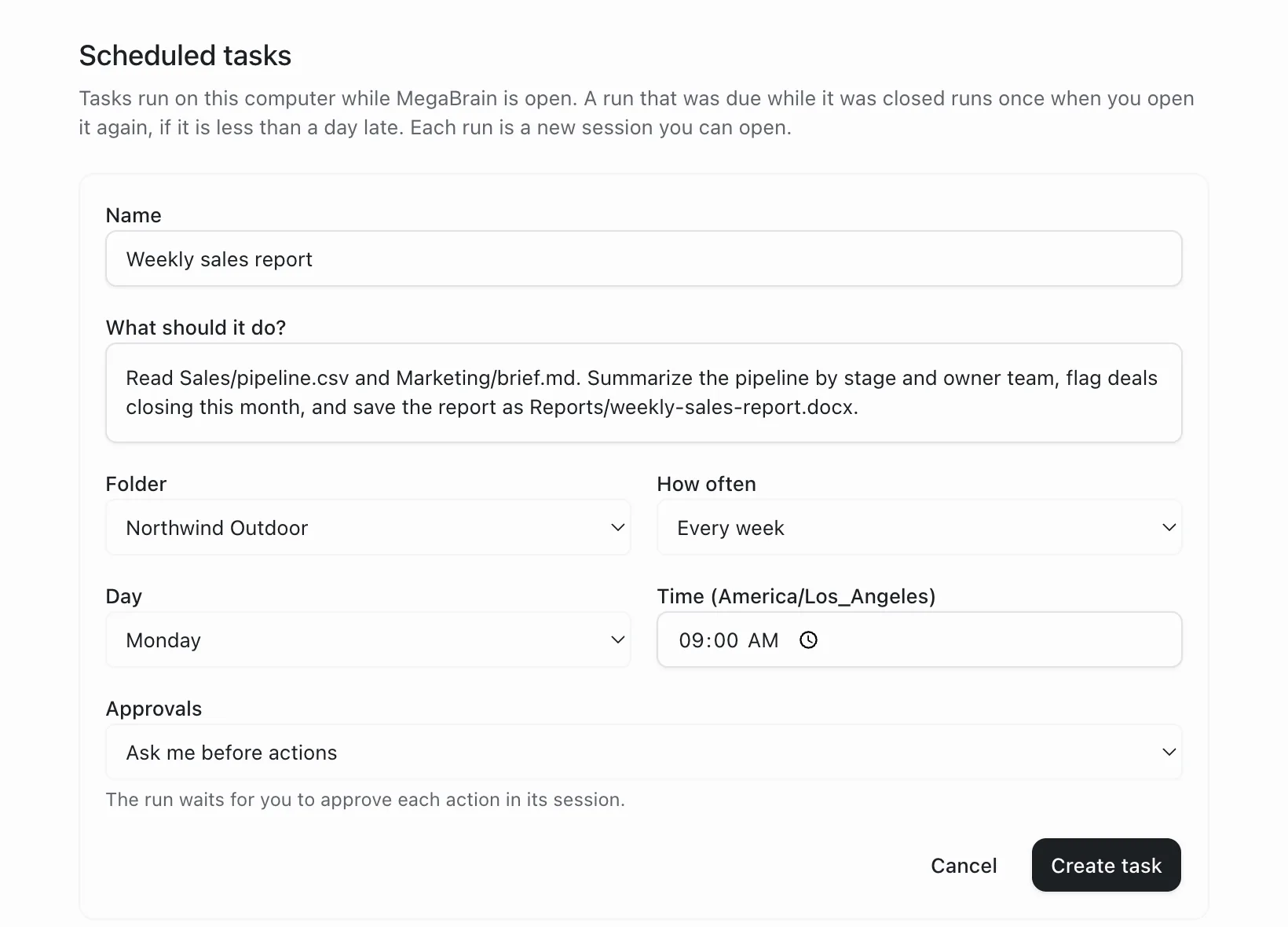
Put it on a schedule. Each Monday it reads the latest pipeline export, summarizes it by stage and owner, flags the deals closing this month and saves the report where your team looks.
Prompt
Read Sales/pipeline.csv and Marketing/brief.md. Summarize the pipeline by stage and owner team, flag deals closing this month, and save the report as Reports/weekly-sales-report.docx.
Works with
Every Monday · 9:00
Asks first: every action, as this task is set to
Research an account before a meeting
It reads the company’s site and recent news in its own browser and writes a one-page brief with a source for each fact, marking guesses as guesses.
Prompt
Research Harbor Foods before my call on Thursday: what they sell, news from the last six months, their likely priorities and who to talk to. Write a one-page brief with a source link for each fact and save it as Sales/Briefs/harbor-foods.docx.
Works with
Prepare for a renewal call
It reads your account notes and the last emails with the customer, then writes an agenda, discovery questions, likely objections with answers and the next step to ask for.
Prompt
Prepare me for tomorrow’s renewal call with Harbor Foods. Read Sales/Accounts/harbor-foods.md and our emails with them in Gmail from the last three months, then write a prep sheet: agenda, discovery questions, likely objections with one-line answers, and the next step to ask for.
Works with
Turn a CRM export into a pipeline review
Give it a CSV or Excel export from your CRM. It cleans the deals, totals them by stage and owner with formulas, and lists the deals at risk.
Prompt
Turn Sales/crm-export.csv into a pipeline review in Sales/pipeline-review.xlsx: a Deals sheet sorted by stage, a Summary sheet with totals by stage and owner as formulas, and a Risks sheet with deals past their close date or with no activity in 30 days. Then tell me the three biggest risks in plain words.
Works with
Draft the follow-up after a call
From your call notes it drafts the follow-up email with what was agreed and leaves it in Gmail for you to read and send.
Prompt
Read my notes from today’s call in Sales/Notes/harbor-foods-call.md and draft a follow-up email to the people on the call with what we agreed and the next steps, with dates. Leave it as a draft in Gmail; do not send it.
Works with
Asks first: before it sends anything
Connectors and files it uses
You connect each tool once in Library → Connectors and sign in to it in your browser; MegaBrain never sees your password. It reaches only the folders and tools you give it.
- Files in the folder you choose
- CRM exports in CSV or Excel, account notes and proposals.
- Gmail or Outlook
- Threads with the customer, and drafts of follow-ups.
- Google Calendar
- Your meetings, to prepare the day before.
- Calendly
- Scheduled meetings and availability.
- Notion, Airtable or monday.com
- Your pipeline and account notes, if they live there.
- Built-in browser
- Company sites and news, read for you.
How to connect Gmail, Google Drive, Outlook and Slack: Help → Apps.
Put it on a schedule
Scheduled tasks repeat on their own, on your Mac while it is awake and MegaBrain is open. Templates to copy, with the prompt, what each one needs and when it runs:
Questions
Does MegaBrain connect to my CRM?
It works with CRM exports in CSV or Excel today, and with Notion, Airtable or monday.com if your pipeline lives there, in one click under Library → Connectors. A CRM that offers an MCP server can be added by hand.
Will it email prospects on its own?
Only if you let it. Sending can wait for your approval, and you can ask it to leave drafts in Gmail or Outlook for you to send.
Try it on your own files
Download MegaBrain, point it at a folder and paste a prompt. Free to start, paying for models from your credits; Pro, Plus and Max include frontier models and MegaBrain Core.
For Macs with Apple silicon. Windows is coming: leave your email on the download page to hear when it is ready.